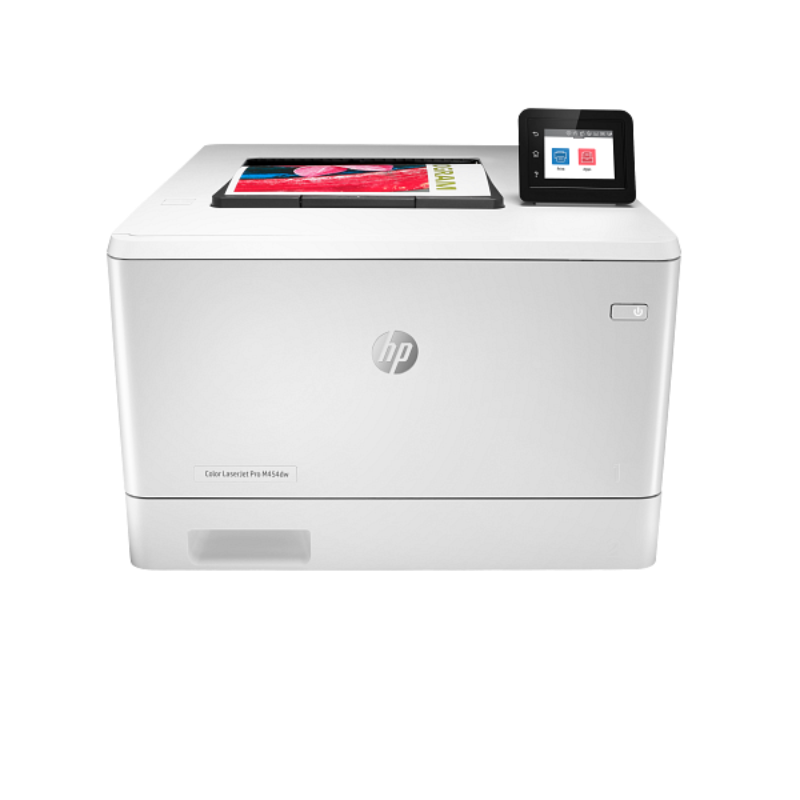
|
SPECIFICATIONS
HP LaserJet Enterprise MFP M634dn Printer (7PS94A)
MPN: 7PS94A
TitleHP LaserJet Enterprise MFP M634dn Printer - (7PS94A)
Sku7PS94A
- ?
Product type Laser printers
- ?
Series LaserJet Enterprise
Features - ?
Functions Print scan copy and fax (optional)
FunctionsPrint, copy, scan, optional fax
Printer Specifications - ?
Functions Print scan copy and fax (optional)
Duty cycle (monthly, letter)Up to 300,000 pages
Duty cycle noteHP recommends that the number of printed pages per month be within the stated range for optimum device performance, based on factors including supplies replacement intervals and device life over an extended warranty period.
Duty cycle (monthly, A4)Up to 300,000 pages
Recommended monthly page volume5000 to 30,000
Target user and print volumeFor teams over 25 users; Prints up to 30,000 pages/month
Paper trays, standard2
Paper trays, maximum6
Print coloursNo
Top key featuresFront-facing USB printing; Scan to email; Two-sided printing; 150-sheet ADF; Fast first page out speeds; Energy Efficient; Strong Security
- ?
Print technology Laser
Envelope feederYes, 75 (optional)
Duplex printingAutomatic (standard)
Automatic paper sensorNo
Print Speed Print speedPrint speed up to 55 ppm (black)
Connectivity and Communications Mobile printing capabilityHP ePrint; Apple AirPrint™; Mopria™ Certified; Google Cloud Print™; Roam optional
Wireless capabilityOptional, enabled with purchase of a wireless hardware accessory. Single band Wireless Station and Wi-Fi Direct functionality available with HP Jetdirect 3000w NFC/Wireless Accessory J8030A, Dual band Wireless Station and Wi-Fi Direct functionality available with HP Jetdirect 3100w BLE/NFC/Wireless Accessory 3JN69A, Dual band Wireless Station functionality available with HP Jetdirect 2900nw Print Server J8031A
Network capabilitiesYes, via HP Jetdirect Ethernet embedded print server (standard) which supports: 10Base-T, 100Base-Tx, 1000Base-T; 802.3az (EEE) support on Fast Ethernet and Gig Links; IPsec (standard); 802.11a/b/g/n wireless networking (optional).
- ?
Connectivity, standard 1 Hi-Speed Device USB 2.0; 2 Host USB (1 walk-up and 1 external accessible); 1 Gigabit Ethernet 10/100/1000T network; 1 Hardware Integration Pocket
Multimedia And Input Devices Fax phone TAM interface supportedNo
Cartridges and Printheads Number of print cartridges1 (black)
Replacement cartridgesHP 147A Black Original LaserJet Toner Cartridge (~10,500 pages) W1470A; HP 147X High Yield Black Original LaserJet Toner Cartridge (~25,200 pages) W1470X; HP 147Y Extra High Yield Black Original LaserJet Toner Cartridge (~42,000 pages) W1470Y
Supplies featureHP JetIntelligence Cartridge
Number of print cartridges1 (black)
Printing Media Handling Maximum input capacity (sheets)Up to 3750 sheets
Input capacityUp to 650 sheets
Finished output handlingSheetfed
Maximum output capacity (sheets)Up to 500 sheets
Output capacityUp to 500 sheets
Standard output capacity (envelopes)Up to 75 envelopes
Paper handling input, standard100-sheet multipurpose feeder, 550-sheet input feeder, 150-sheet automatic document feeder
Paper handling output, standard500-sheet ouput feeder, two-sided printing
Print Area Top margin (A4)4.3 mm
Left margin (A4)4.3 mm
Right margin (A4)4.3 mm
Bottom margin (A4)4.3 mm
Print Resolution Print quality black (best)Up to 1200 x 1200 dpi
Supported Printing Media Media sizes supported, keyA4; Envelopes
Media sizes supported100-sheet multipurpose Tray 1: A4, A5, A6, RA4, B5 (JIS), B6 (JIS), 10 x 15 cm, Oficio (216 x 340), 16K (195 x 270), 16K (184 x 260), 16K (197 x 273), Postcard (JIS), Dpostcard (JIS), Envelope: B5, C5, C6, DL; 550-sheet input Tray 2: A4, A5, A6, B5 (JIS), B6 (JIS), 10 x 15 cm, 16K (195 x 270), 16K (184 x 260), 16K (197 x 273); 550-sheet optional feeder: A4, A5, A6, RA4, B5 (JIS), B6 (JIS), 10 x 15 cm, Oficio (216 x 340), 16K (195 x 270), 16K (184 x 260), 16K (197 x 273), Postcard (JIS), Dpostcard (JIS); 2000-sheet optional HCI: A4; 75-sheet optional envelope feeder: B5, C5, C6, DL
Media sizes, custom100-sheet multipurpose Tray 1: 76 x 127 to 216 to 356 mm; 550-sheet input Tray 2: 99 x 148 to 216 x 297 mm; 550-sheet optional feeder: 99 x 148 to 216 x 356 mm; 75-sheet envelope feeder: 90 x 148 to 178 x 254 mm
Standard media sizes (duplex)A4; A5; RA4; B5; 16K (195 x 270 mm, 184 x 260 mm, 197 x 273 mm); Oficio
Media typesPaper (plain, light, bond, recycled, heavy, extra heavy, cardstock, pre-printed, pre-punched, colored, rough, heavy rough), monochrome transparency, labels, letterhead, envelope, heavy envelope
Media weight, supportedFeeder 1: 60 to 200 g/m²; feeder 2: 60 to 120 g/m²; Automatic Duplexer: 60 to 120 g/m²
Copier Specifications Copies, maximumUp to 9999 copies
Copier settingsTwo-sided copying, scalability, image adjustments (darkness, contrast, background cleanup, sharpness), N-up, N or Z-ordering, content orientation, collation, booklet, job build, edge-to-edge, job storage, ID Copy, Book Copy, A-to-B Copy (different media sizes)
Copy reduce / enlarge settings25 to 400%
Scanner Specifications Scan technologyCharge Coupled Device (CCD)
Color scanningYes
Scan input modesFront panel applications: Copy; E-mail; Save to Network Folder; Save to USB; Save to Device Memory; Save to SharePoint; Open Extensibility Platform (OXP) applications; HP Scan or user application via TWAIN
Scan size, maximum216 x 356 mm
Bit Depth24-bit
Levels of grayscale256
Twain versionVersion 2.1
Scan file formatDigital Send: PDF, PDF, JPEG, TIFF, MTIFF, XPS, PDF/A; Scan to easy access USB: PDF, JPEG, TIFF, MTIFF, XPS, PDF/A;
Recommended monthly scan volume noteHP recommends that the number of scanned pages per month be within the stated range for optimum device performance
Scan Resolution Enhanced scanning resolutionup to 600 dpi
Scan Resolution, HardwareUp to 600 x 600 dpi
Scan Resolution, Opticalup to 600 dpi
Fax Specifications Fax delayed sendingNo
Distinctive ring detection supportedNo
Fax telephone mode supportedNo
Telephone handset supportedNo
FaxingOptional
Supported Operating Systems Compatible network operating systems Windows Server 2008 R2 64-bit, Windows Server 2008 R2 64-bit (SP1), Windows Server 2012 64-bit, Windows Server 2012 R2 64-bit, Windows Server 2016 64-bit, Windows Server 2019 64-bit, Citrix Server 6.5, Citrix XenApp & XenDesktop 7.6, Novell iPrint server, “Citrix Ready Kit Certification - Up to Citrix Server 7.18 for more information see http://citrixready.citrix.com, Linux- For more information see http://developers.hp.com/hp-linux-imaging-and-printing, Unix- For more information see http://hp.com/go/unixmodelscripts, Linux- For more information see http://developers.hp.com/hp-linux-imaging-and-printing, Unix- For more information see http://hp.com/go/unixmodelscripts, UPD PCL6 / PS Printer Drivers-, For more information on the supported operating systems go to http://support.hp.com, Enter your product name and search, Click on User Guides and enter your product name and search for User Guide, Search for your (Product Name) - User Guide, Search for the Supported Operating Systems section, UPD PCL6 / PS Printer Drivers, Supported Operating systems, For more information on the supported operating systems see www.hp.com/go/upd;
Compatible Operating SystemsWindows Client OS (32/64 bit)-, Win10, Win8.1, Win7 Ultimate, Mobile OS-, iOS, Android, Mac-, Apple® macOS Sierra v10.13, Apple® macOS High Sierra v10.14, Apple® macOS Mojave v10.15, Discrete PCL6 Printer Driver-, For more information on the supported operating systems go to http://support.hp.com, Enter your product name and search, Click on User Guides and enter your product name and search for User Guide, Search for your (Product Name) - User Guide, Search for the Supported Operating Systems section, UPD PCL6 / PS Printer Drivers-, For more information on the supported operating systems go to http://support.hp.com, Enter your product name and search, Click on User Guides and enter your product name and search for User Guide, Search for your (Product Name) - User Guide, Search for the Supported Operating Systems section, UPD PCL6 / PS Printer Drivers, Supported Operating systems, For more information on the supported operating systems see www.hp.com/go/upd;
Memory Memory1.5 GB (printer); 512 MB (scanner)
Memory slots1 slot; 144pin DDR3 DIMM (E5K48A)
System Components Control panel8.0-in (20.3 cm) Color Graphics Display (CGD) with touchscreen; rotating (adjustable angle) display; illuminated Home button (for quick return to the Home menu)
Dimensions Maximum dimensions (W x D x H)1030 x 808 x 865 mm (right side jam access door open, left side cartridge door open, all feeders open and extended, ADF open)
Dimensions without stand (W x D x H)512 x 558 x 640 mm
System Requirements Minimum System Requirements2 GB available hard disk space, Internet connection, or USB port, Internet browser. For additional OS hardware requirements see microsoft.com;
Minimum System Requirements for Macintosh2 GB available hard drive space, Internet connection, or USB port, Internet browser. For additional OS hardware requirements see apple.com;
Rack and Power Specifications Number of users10-30 Users
Typical electricity consumption (TEC) numberES: 0.783 kWh/week; BA: 2.219 kWh/week
Battery and Power Power Consumption Description740 watts (printing/copying), 29.0 watts (ready), 3.3 watts (sleep), <0.1 watts (Auto Off/Manual On), <0.1 watts (Manual Off)
Power supply typeBuilt in 115V or 220V Power Supply
Software and Applications Software includedNo software solutions are included in the Box only on http://hp.com, http://123.hp.com
Mac compatibleYes
Warranty WarrantyOne-year limited hardware onsite warranty
|